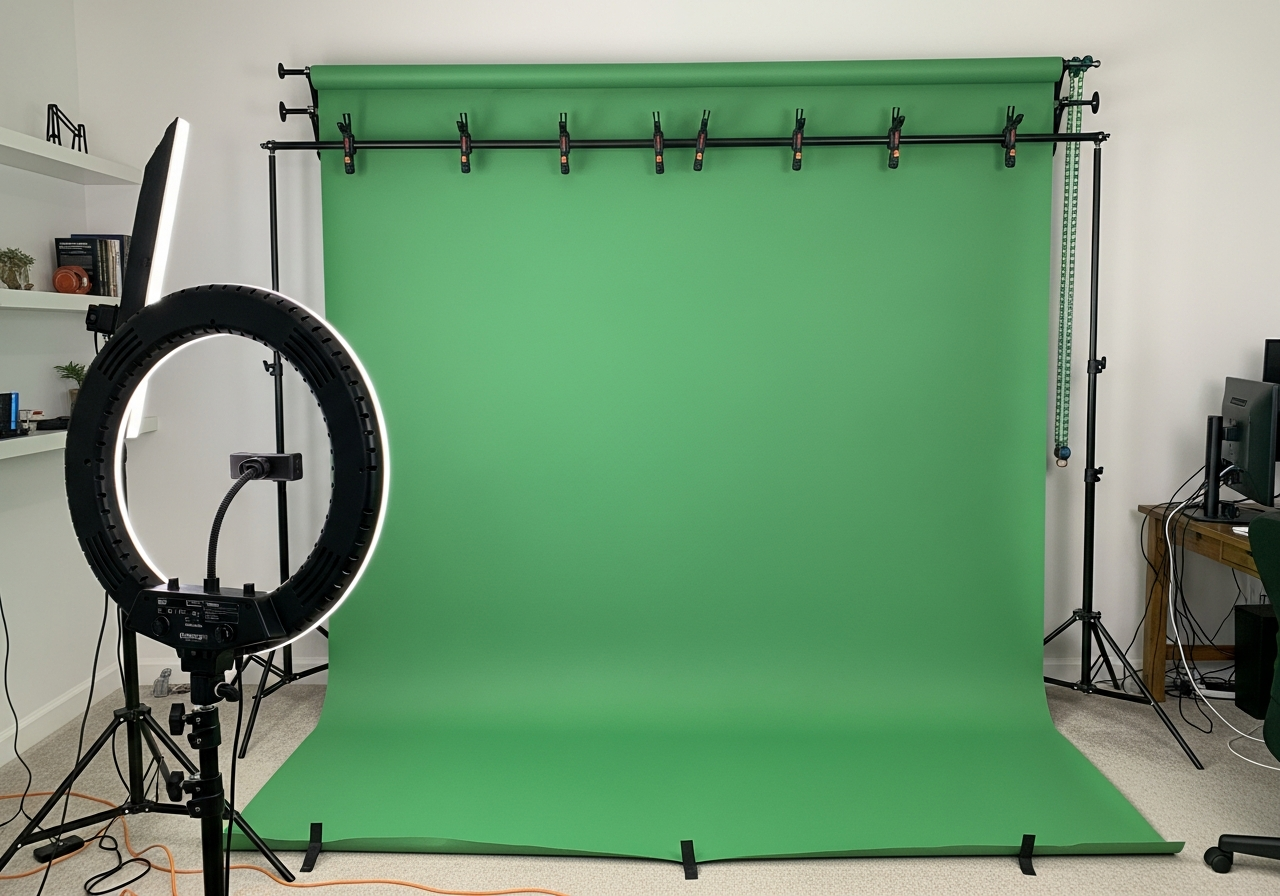
How to Set Up a Green Screen Studio at Home
A green screen (chroma key) setup lets you replace your background with anything — a professional office, exotic location, or animated graphics. The key to a convincing result is even lighting and proper distance between you and the screen.
Essential Green Screen Equipment
- **Green screen**: Wrinkle-resistant fabric or collapsible panel
- **Lighting**: At least two lights for the screen and one for yourself
- **Stand system**: Backdrop stand to support and stretch the screen smooth
- **Software**: OBS Studio (free) or professional editing software for keying
Green Screen Lighting Tips
- Light the green screen separately from yourself — this is the #1 rule
- **Keep even lighting** across the entire screen to avoid dark spots
- Stand at least 6 feet from the screen to minimize green color spill on your skin
- Use a back light or hair light to separate yourself from the background
- Avoid wearing green — it will become transparent
Common Green Screen Mistakes
- Wrinkles in the screen — they create shadows that ruin the key
- Uneven lighting — dark spots on the screen won't key out cleanly
- Standing too close — green light reflects onto your skin and hair
- Using a cheap webcam — higher resolution makes keying easier
This green screen studio kit gives you broadcast-quality results from your home office.