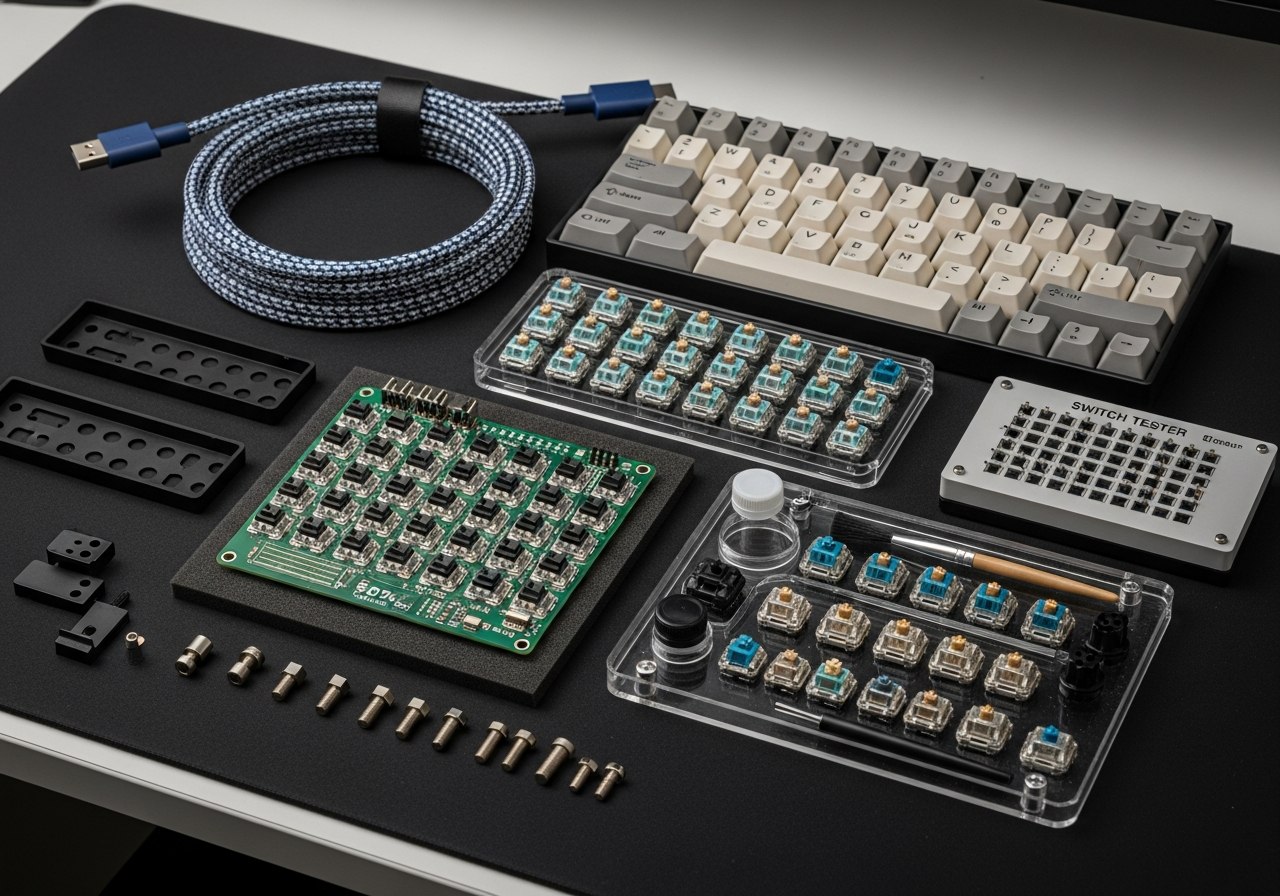
Building Your First Custom Mechanical Keyboard
The custom mechanical keyboard hobby has exploded in popularity, and for good reason. A well-built custom board sounds better, feels better, and looks better than any mass-produced keyboard. Plus, building one is deeply satisfying — like assembling a precision instrument.
Understanding the Components
- **PCB (Printed Circuit Board)** — The brain that registers your keystrokes
- **Case** — The housing that holds everything together (aluminum, plastic, or wood)
- **Plate** — Metal or polycarbonate layer between the PCB and switches for rigidity
- **Switches** — The mechanism under each key (linear, tactile, or clicky)
- **Keycaps** — The visible tops you press (PBT or ABS plastic)
- **Stabilizers** — Support mechanisms for larger keys like spacebar and shift
Choosing Your Switches
- **Linear** (e.g., Cherry MX Red, Gateron Yellow) — Smooth with no bump, great for gaming
- **Tactile** (e.g., Cherry MX Brown, Holy Panda) — Bump feedback without click noise
- **Clicky** (e.g., Cherry MX Blue, Kailh Box White) — Audible click with each press
The Lubing Process
Lubing your switches is the single biggest upgrade for sound and feel. Apply thin lubricant (Krytox 205g0 for linears, Tribosys 3203 for tactiles) to the stem, spring, and housing of each switch. It takes time — budget 2-3 hours for a full board — but the result is transformative.
Tips for First-Time Builders
- Start with a hot-swap PCB so you can change switches without soldering
- Use a switch tester before buying 70+ switches — try before you commit
- Watch build videos to understand the assembly process before starting
- Clip, lube, and band-aid mod your stabilizers — rattly stabs ruin an otherwise great board
- Budget for the keycaps you actually want — they make the biggest visual difference
Common Mistakes to Avoid
- Forgetting stabilizers — your spacebar will rattle horribly without proper stabs
- Over-lubing switches — too much lube makes keys feel mushy and sluggish
- Buying the wrong switch count — count your layout keys and add 5-10 extras
- Skipping dampening foam — it dramatically improves the sound profile