Getting Started with Raspberry Pi
The Raspberry Pi is a credit-card-sized computer that has revolutionized maker culture and computing education. Whether you want to build a retro gaming console, a home media server, a weather station, or learn Python, the Pi is the perfect starting point.
Essential Raspberry Pi Components
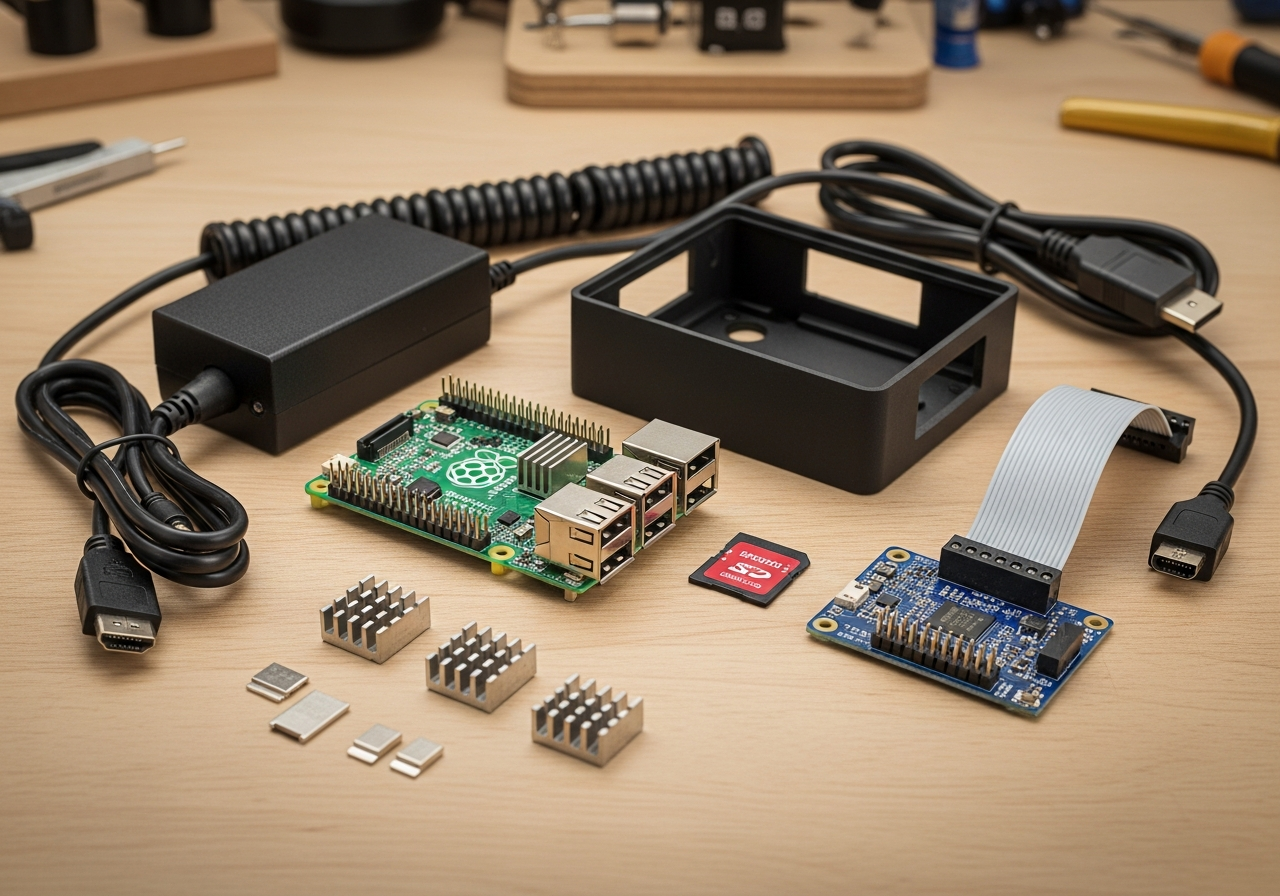
- **The board**: Raspberry Pi 5 or Pi 4 Model B is the current recommendation
- **Power supply**: Use the official supply — underpowered adapters cause crashes
- **MicroSD card**: Your operating system and storage — get a fast, reliable card
- **Case**: Protects the board and can include cooling solutions
Popular Beginner Projects
- **RetroPie**: Turn your Pi into a retro gaming console with thousands of classic games
- **Pi-hole**: Network-wide ad blocker for your entire home
- **Home Assistant**: Smart home automation hub that connects all your devices
- **Media server**: Run Plex or Kodi for streaming your own media library
- **Learn to code**: Python comes pre-installed and the Pi is perfect for learning
Tips for First-Time Pi Users
- Start with Raspberry Pi OS (formerly Raspbian) — it's the easiest to set up
- **Use an Ethernet connection** for initial setup — it's more reliable than Wi-Fi
- Keep your Pi cool — add a heatsink or fan case for intensive projects
- Back up your SD card regularly — they can fail
- Join r/raspberry_pi and the official forums — the community is incredibly helpful
This Raspberry Pi starter kit includes everything to go from unboxing to your first project.