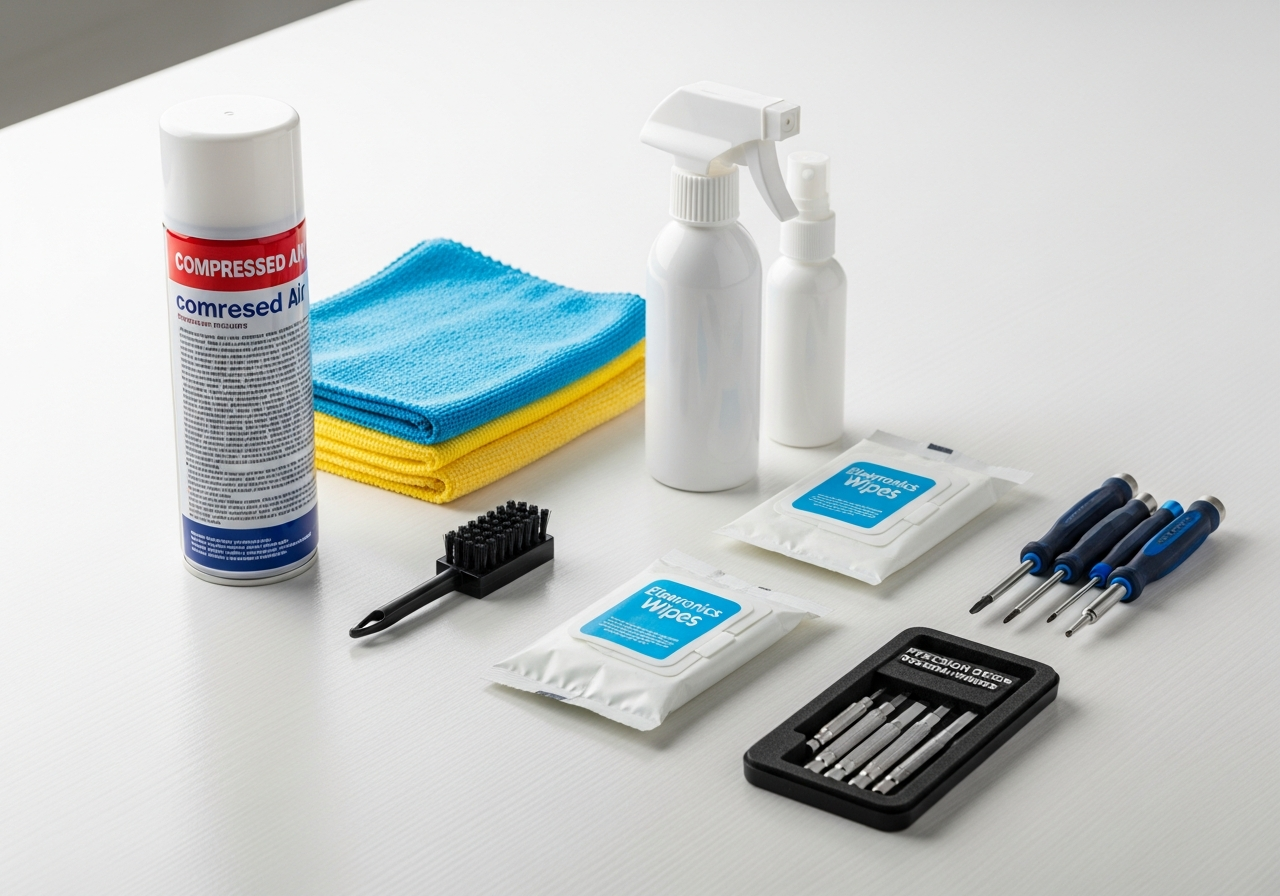
Laptop Cleaning & Maintenance Essentials Checklist — Your Complete Guide
Keep your laptop running cool and looking new with these essential cleaning tools. Your complete essentials checklist — find out exactly what you need to buy and what can wait.
Your laptop collects dust, crumbs, fingerprints, and grime faster than you'd think. Regular cleaning extends its lifespan, improves thermal performance, and simply makes it more pleasant to use. This kit covers everything from compressed air for internals to screen cleaners and keyboard brushes for a factory-fresh look.
Here is everything included in this bundle at a glance:
Compressed Air Duster ($6 - $15) — Essential
Electronics Cleaning Wipes ($6 - $14) — Essential
Precision Screwdriver Bit Set ($8 - $20)
Screen Cleaning Kit ($6 - $15) — Essential
Keyboard Cleaning Brush ($5 - $12) — Essential
Microfiber Cloths Pack ($5 - $12) — Essential
Isopropyl Alcohol (99%) ($5 - $12)
Cotton Swabs (Pointed) ($4 - $10)
Cable Ties & Organizer ($5 - $12)
Laptop Dust Cover ($8 - $18)
Must-Have Items (5)
These are the core items required to get started. Do not skip these.
Compressed Air Duster — $6 - $15 Pressurized air canister for blowing dust from keyboard, vents, and ports.
Electronics Cleaning Wipes — $6 - $14 Pre-moistened, lint-free wipes safe for screens, keyboards, and cases.
Screen Cleaning Kit — $6 - $15 Spray solution and microfiber cloth designed specifically for laptop and monitor screens.
Keyboard Cleaning Brush — $5 - $12 Soft-bristle brush designed to sweep debris from between laptop keys.
Microfiber Cloths Pack — $5 - $12 Lint-free microfiber cloths for screens, lenses, and delicate surfaces.
Nice to Have (5)
These optional items improve convenience, presentation, or overall experience.
Precision Screwdriver Bit Set — $8 - $20 Small screwdriver set for opening laptop panels to clean internals.
Isopropyl Alcohol (99%) — $5 - $12 High-purity isopropyl alcohol for cleaning circuit boards and removing thermal paste.
Cotton Swabs (Pointed) — $4 - $10 Precision-tip cotton swabs for cleaning tight spaces and contacts.
Cable Ties & Organizer — $5 - $12 Reusable velcro cable ties for managing charging cables and peripherals.
Laptop Dust Cover — $8 - $18 Keyboard cover or protective sleeve to keep dust out when not in use.
Why Laptop Cleaning Matters
A dirty laptop isn't just unsightly — it's a performance problem. Dust buildup inside your laptop clogs cooling fans and vents, causing overheating, thermal throttling, and reduced lifespan. Sticky keys slow your typing. A grimy screen strains your eyes. Regular cleaning takes 15 minutes and makes a real difference.
How Often to Clean Your Laptop
**Weekly**: Wipe screen and keyboard surface with a microfiber cloth
**Monthly**: Clean between keys with a brush, wipe palmrest and touchpad
**Quarterly**: Compressed air through vents, deep keyboard cleaning
**Annually**: Open and clean internals if you're comfortable (or have a pro do it)
Cleaning Your Laptop Screen
Never spray liquid directly on your screen. Instead:
1. Power off the laptop and let it cool
2. Use a dry **microfiber cloth** to remove dust
3. Apply **screen cleaning solution** to the cloth (not the screen)
4. Wipe in gentle circular motions
5. Dry with a second clean microfiber cloth
Keyboard Cleaning
Turn the laptop upside down and shake gently to dislodge debris
Use **compressed air** at an angle to blow out crumbs between keys
A **keyboard brush** reaches between keys for stuck particles
Dampen a cloth with isopropyl alcohol for sticky residue on key tops
Use cotton swabs for tight spaces around individual keys
Tips for Laptop Maintenance
Close the laptop when not in use to prevent dust settling on the keyboard
Use a **dust cover** or **laptop sleeve** when storing
Keep food and drinks away from your workspace
Clean your hands before using your laptop — oils accelerate grime buildup
Use cable ties to keep your charging cable organized and prevent damage
Common Mistakes to Avoid
Using paper towels on screens — they scratch coatings
Spraying liquid directly on electronics — moisture damages internal components
Using household cleaners — ammonia and bleach damage laptop finishes
Vacuuming keyboard keys — static can damage electronics; use compressed air instead
Frequently Asked Questions
What's included in the Laptop Cleaning & Maintenance Kit bundle?
This bundle includes 10 carefully selected items organized by priority: 5 must-have essentials, 5 nice-to-have upgrades, and 0 down-the-road additions.
How much does the Laptop Cleaning & Maintenance Kit cost?
The estimated total for this bundle is $25 - $70. You can buy individual items based on your budget and priorities.
What are the must-have items in this bundle?
The 5 essential items are: Compressed Air Duster, Electronics Cleaning Wipes, Screen Cleaning Kit, Keyboard Cleaning Brush, Microfiber Cloths Pack.
Can I buy individual items instead of the full bundle?
Yes! Each item links directly to Amazon where you can purchase individually. Start with the must-have items and add nice-to-haves over time.
How are products selected for this bundle?
We research customer reviews, expert opinions, and real-world performance data to select the best products at various price points for each item category.
As an Amazon Associate, BundleMatchly earns from qualifying purchases. Prices are approximate and may change.