Raspberry Pi Essentials Checklist — Your Complete Guide
Build your first computer projects with this beginner-friendly Pi setup. Your complete essentials checklist — find out exactly what you need to buy and what can wait.
The Raspberry Pi is a tiny, affordable computer that can be used for everything from home automation to retro gaming to learning programming. This starter kit includes the Pi board and all the accessories you need to power up, connect, and start building projects right away.
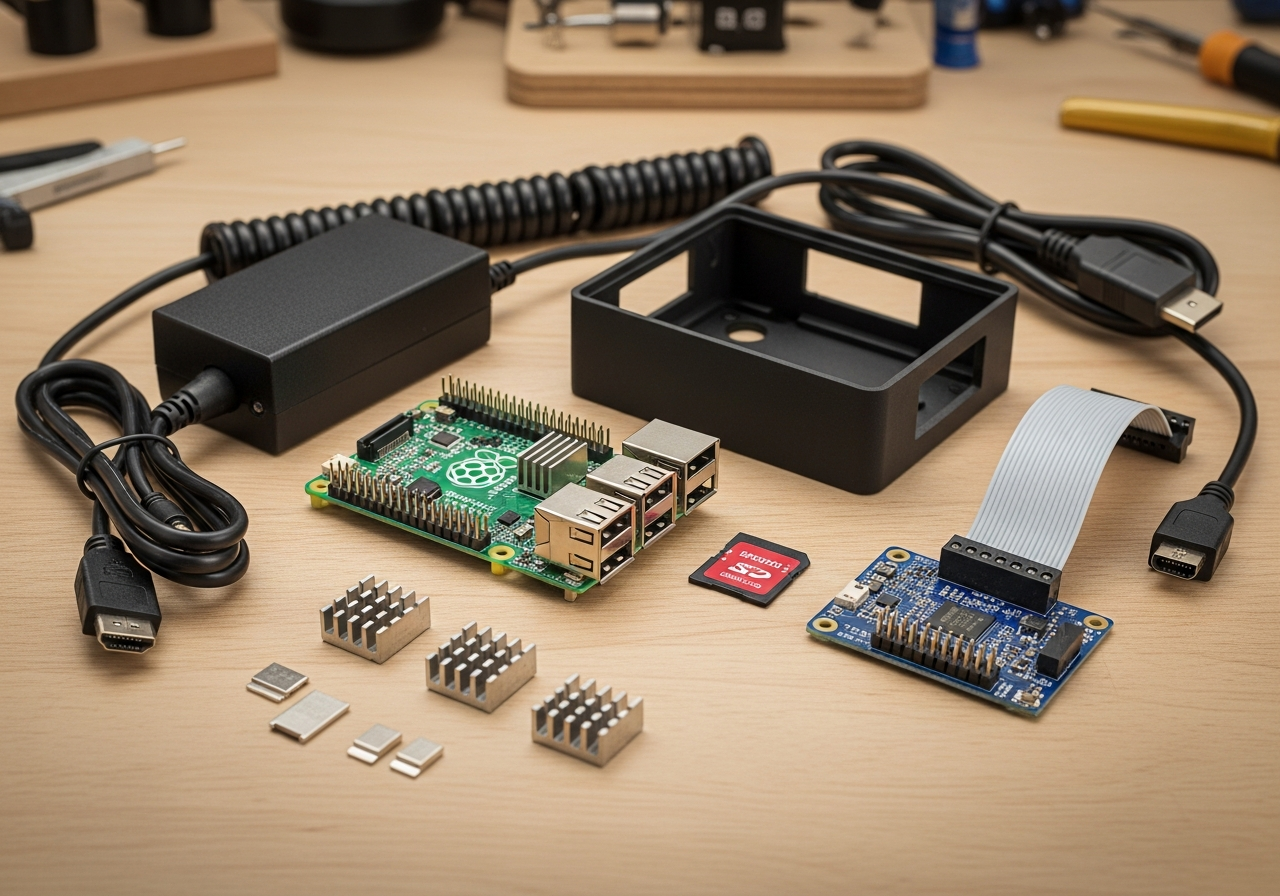
Here is everything included in this bundle at a glance:
Raspberry Pi Board ($35 - $80) — Essential
Official Power Supply ($8 - $15) — Essential
MicroSD Card ($8 - $20) — Essential
Protective Case ($8 - $20) — Essential
Heatsink Kit ($3 - $10)
Micro HDMI Cable ($5 - $12) — Essential
Keyboard & Mouse Combo ($15 - $30)
GPIO Breakout Board & Cables ($8 - $20)
Sensor Kit ($15 - $35)
LED & Component Kit ($10 - $20)
Camera Module ($15 - $35)
Must-Have Items (5)
These are the core items required to get started. Do not skip these.
Raspberry Pi Board — $35 - $80 The latest Raspberry Pi single-board computer with built-in Wi-Fi and Bluetooth.
Official Power Supply — $8 - $15 USB-C power adapter with sufficient amperage for stable operation.
MicroSD Card — $8 - $20 High-speed microSD card pre-loaded or ready for Raspberry Pi OS.
Protective Case — $8 - $20 Case with ventilation or fan cooling to protect and cool the Pi.
Micro HDMI Cable — $5 - $12 Cable to connect the Pi to a monitor or TV for display output.
Nice to Have (5)
These optional items improve convenience, presentation, or overall experience.
Heatsink Kit — $3 - $10 Aluminum or copper heatsinks for passive cooling of the CPU and RAM.
Keyboard & Mouse Combo — $15 - $30 Compact wireless keyboard and mouse set for Pi desktop use.
GPIO Breakout Board & Cables — $8 - $20 Breadboard and jumper cables for electronics projects and prototyping.
Sensor Kit — $15 - $35 Collection of sensors (temperature, motion, light) for learning and projects.
LED & Component Kit — $10 - $20 LEDs, resistors, buttons, and wires for basic electronics experiments.
Down the Road (1)
Great upgrades to add later once you have the basics covered.
Camera Module — $15 - $35 Official Pi camera module for photography, video, and computer vision projects.
Getting Started with Raspberry Pi
The Raspberry Pi is a credit-card-sized computer that has revolutionized maker culture and computing education. Whether you want to build a retro gaming console, a home media server, a weather station, or learn Python, the Pi is the perfect starting point.
Essential Raspberry Pi Components
**The board**: Raspberry Pi 5 or Pi 4 Model B is the current recommendation
**Power supply**: Use the official supply — underpowered adapters cause crashes
**MicroSD card**: Your operating system and storage — get a fast, reliable card
**Case**: Protects the board and can include cooling solutions
Popular Beginner Projects
**RetroPie**: Turn your Pi into a retro gaming console with thousands of classic games
**Pi-hole**: Network-wide ad blocker for your entire home
**Home Assistant**: Smart home automation hub that connects all your devices
**Media server**: Run Plex or Kodi for streaming your own media library
**Learn to code**: Python comes pre-installed and the Pi is perfect for learning
Tips for First-Time Pi Users
Start with Raspberry Pi OS (formerly Raspbian) — it's the easiest to set up
**Use an Ethernet connection** for initial setup — it's more reliable than Wi-Fi
Keep your Pi cool — add a heatsink or fan case for intensive projects
Back up your SD card regularly — they can fail
Join r/raspberry_pi and the official forums — the community is incredibly helpful
This Raspberry Pi starter kit includes everything to go from unboxing to your first project.
Frequently Asked Questions
What's included in the Raspberry Pi Starter Kit bundle?
This bundle includes 11 carefully selected items organized by priority: 5 must-have essentials, 5 nice-to-have upgrades, and 1 down-the-road additions.
How much does the Raspberry Pi Starter Kit cost?
The estimated total for this bundle is $80 - $200. You can buy individual items based on your budget and priorities.
What are the must-have items in this bundle?
The 5 essential items are: Raspberry Pi Board, Official Power Supply, MicroSD Card, Protective Case, Micro HDMI Cable.
Can I buy individual items instead of the full bundle?
Yes! Each item links directly to Amazon where you can purchase individually. Start with the must-have items and add nice-to-haves over time.
How are products selected for this bundle?
We research customer reviews, expert opinions, and real-world performance data to select the best products at various price points for each item category.
As an Amazon Associate, BundleMatchly earns from qualifying purchases. Prices are approximate and may change.